WEBLEB
होम
संपादक
लॉग इन करें
Pro
हिंदी
English
Français
Español
Português
Deutsch
Italiano
हिंदी
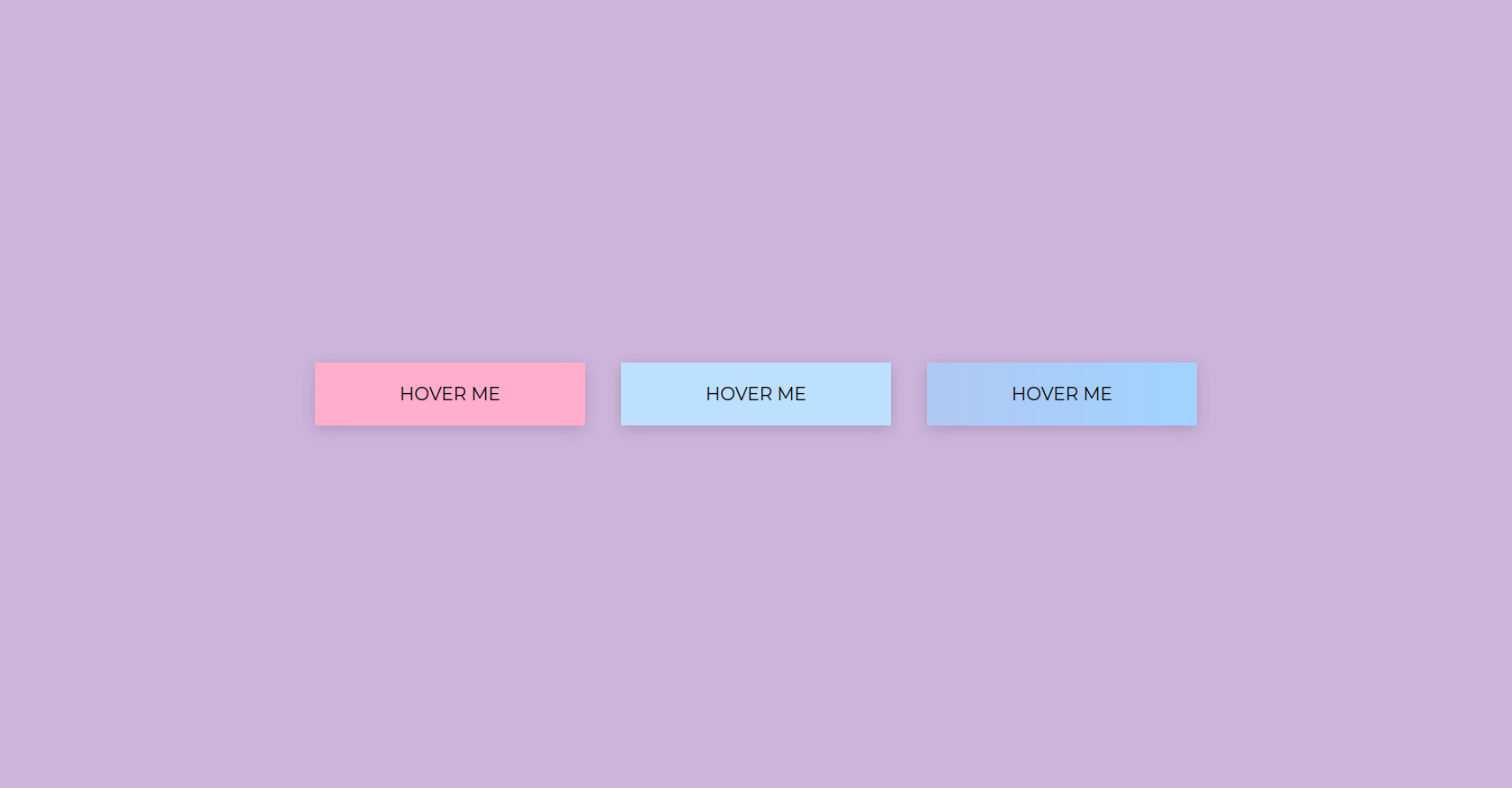
HTML बटन होवर प्रभाव उदाहरण
693
Primes
संपादक में खोलें
Video
अपना कोड प्रकाशित करें
1
अनुशंसित
23 September 2023
ग्लोइंग होवर टेक्स्ट
1 March 2025
HTML CSS आधुनिक नेवबार
17 December 2025
ज्योमेट्री डैश गेम क्लोन HTML CSS जावास्क्रिप्ट
HTML
Copy
<!DOCTYPE html> <html lang="en"> <head> <meta charset="UTF-8"> <meta name="viewport" content="width=device-width, initial-scale=1.0"> <title>BUTTONS</title> <link rel="stylesheet" href="style.css"> <link rel="stylesheet" href="https://fonts.googleapis.com/css2?family=Montserrat:ital,wght@0,100..900;1,100..900&family=Share+Tech&display=swap"> </head> <body> <div class="buttonBox"> <button class="button1" id="button1">HOVER ME</button> <button class="button2" id="button2">HOVER ME</button> <button class="button3" id="button3">HOVER ME</button> </div> </body> <script> </script> </html>
CSS
Copy
:root { --x1: rgb(205, 180, 219); --x2: rgb(255, 200, 221); --x3: rgb(255, 175, 204); --x4: rgb(189, 224, 254); --x5: rgb(162, 210, 255); --x6: black } * { padding: 0; margin: 0; box-sizing: border-box; font-family: 'Montserrat', sans-serif; } body{ background-color: var(--x1); align-items: center; justify-content: center; display: flex; min-height: 100vh; } .buttonBox{ gap: 40px; display: flex; } button{ cursor: pointer; } .button1 { width: 300px; height: 70px; background-color: var(--x3); font-size: 20px; border: none; box-shadow: 0 4px 16px 0 rgba(0, 0, 0, 0.15); position: relative; overflow: hidden; } .button1::before { content: ""; position: absolute; top: 0; left: -75px; width: 60px; height: 100%; background: linear-gradient(120deg, rgba(255,255,255,0.05) 0%, rgba(255,255,255,0.5) 50%, rgba(255,255,255,0.05) 100%); transform: skewX(-20deg); pointer-events: none; transition: none; opacity: 0; } .button1:hover::before { animation: shine-move 0.7s; opacity: 1; } .button2{ width: 300px; height: 70px; background-color: var(--x4); font-size: 20px; border: none; box-shadow: 0 4px 16px 0 rgba(0, 0, 0, 0.15); position: relative; overflow: hidden; } .button2::after { content: ""; position: absolute; left: 0; bottom: 0; height: 3px; width: 0; background: var(--x6); transition: width 0.35s cubic-bezier(.4,0,.2,1); } .button2:hover::after { width: 100%; } .button3{ width: 300px; height: 70px; background: linear-gradient(270deg, var(--x1), var(--x2), var(--x3), var(--x4), var(--x5), var(--x1)); background-size: 1400% 1400%; font-size: 20px; border: 2px solid transparent; box-shadow: 0 4px 16px 0 rgba(0, 0, 0, 0.15); animation: rainbow-flow 4s linear infinite; color: var(--x6); transition: filter 0.2s, border-color 0.35s cubic-bezier(.4,0,.2,1); } .button3:hover { border-color: #000; } @keyframes rainbow-flow { 0% { background-position: 0% 50%;} 100% { background-position: 100% 50%;} } @keyframes shine-move { 0% { left: -75px; opacity: 0; } 10% { opacity: 1; } 50% { left: 120%; opacity: 1; } 100% { left: 120%; opacity: 0; } }
JS
Copy
/* Replace with your JS Code (Leave empty if not needed) */